Missions
Available on all plansOrganize every decision by what it's actually for.
What is a mission?
A mission is your workspace for one decision — think of it as a browser tab for a property decision. It keeps everything in one place: the properties & stays you've saved, your comparison, your scoring weights, your key locations, and who you're planning with.
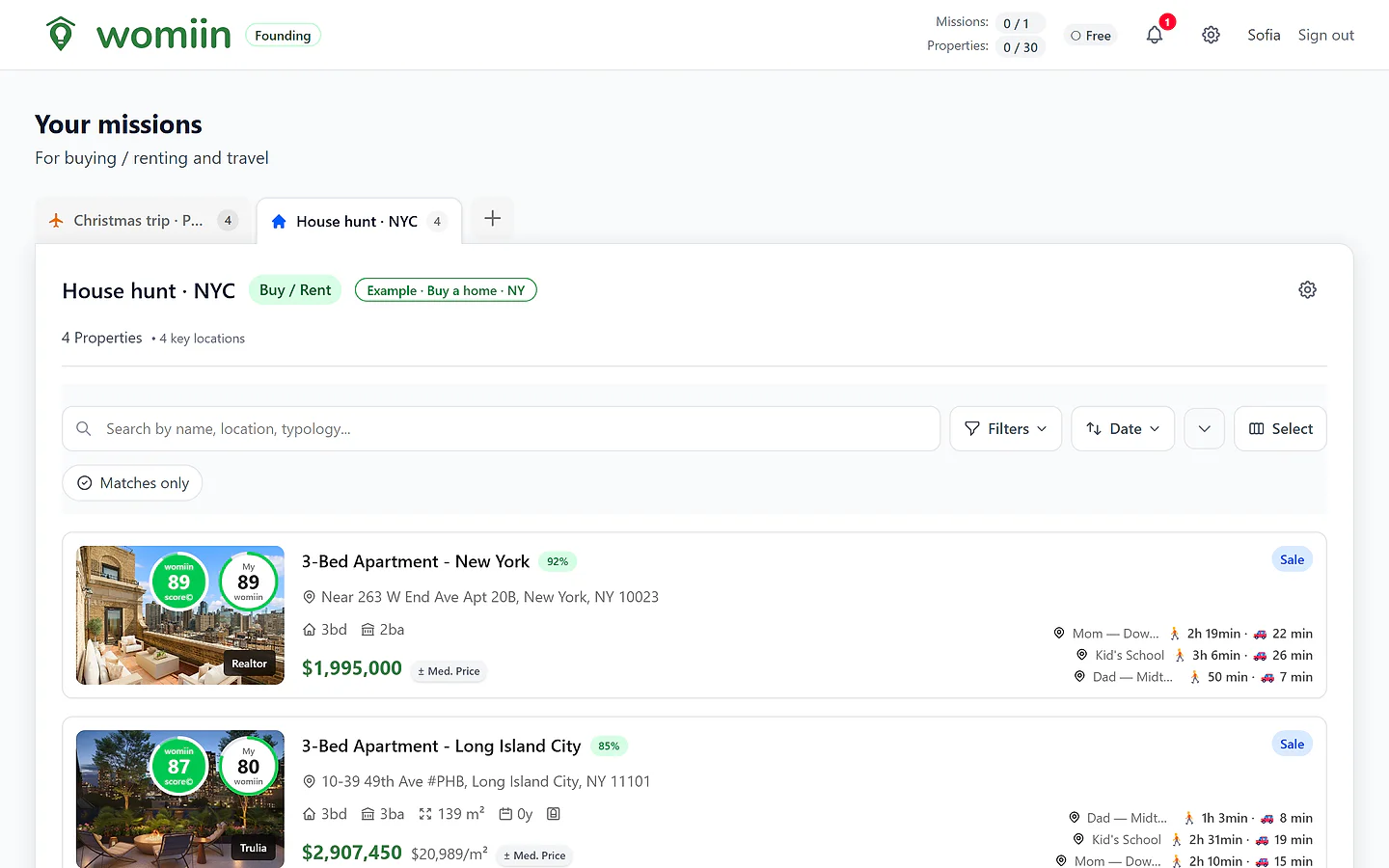
Your whole decision, in one place
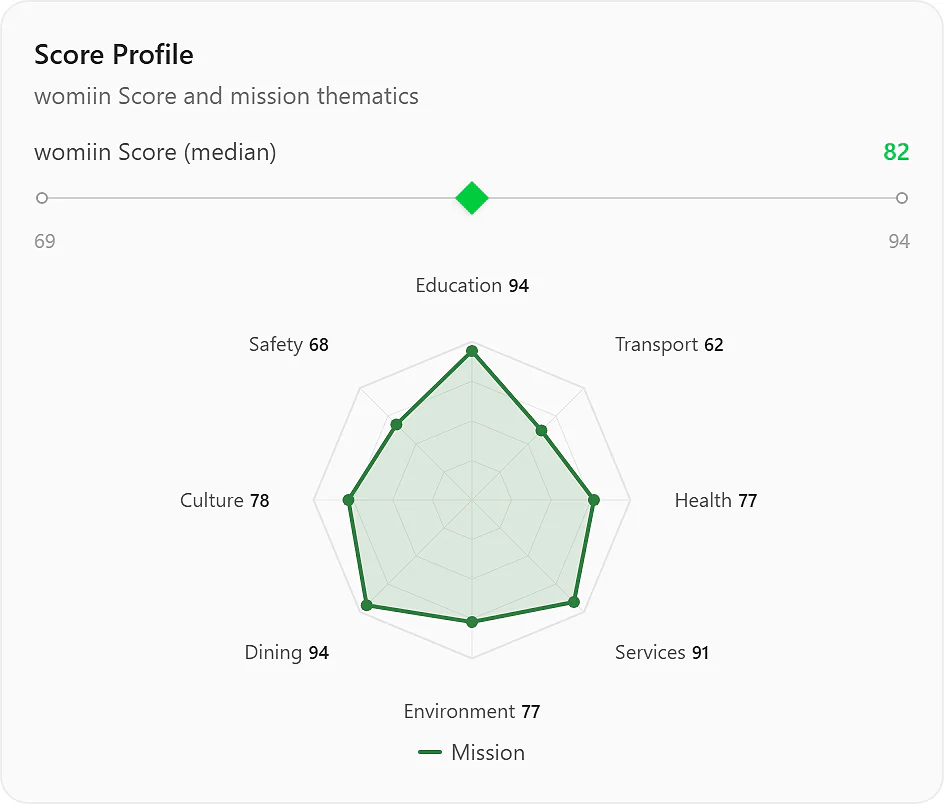
The Martins' Home mission — the homes they saved, each already scored.
The point is context. A flat to buy in one city, a week away in another, a room for your kid near their university in a third — that's three missions. Each keeps its own properties, preferences and data; nothing bleeds across.
Separate contexts
Each mission has its own properties, weights and key locations — never mixed together.
Built for collaboration
Bring a partner, family or an agent into a single mission — they see just that one.
Tuned to the job
Home missions weigh long-term living; Travel missions weigh a few days away — different scores, different tools.
Two types of missions
Pick the one that fits — the score and the tools adapt to it.
Home
Long-term
Buying or renting somewhere you'll live for months or years. womiin leans into price alerts, the visit Field Guide, a negotiation strategy, and duplicate detection across portals.
- Best for
- Buying · long-term rentals · student rooms
- Home-only
- Field Guide · Negotiation strategy
Travel
Short stay
A trip — days or weeks away. womiin tunes the score for a stay and builds a day-by-day itinerary around where you book.
- Best for
- Holidays · short stays · business travel
- Travel-only
- AI itinerary · attraction suggestions
How a mission works
Create a mission
Pick Home or Travel, give it a name, and you're in — never a blank page.
How people use it
A family relocation
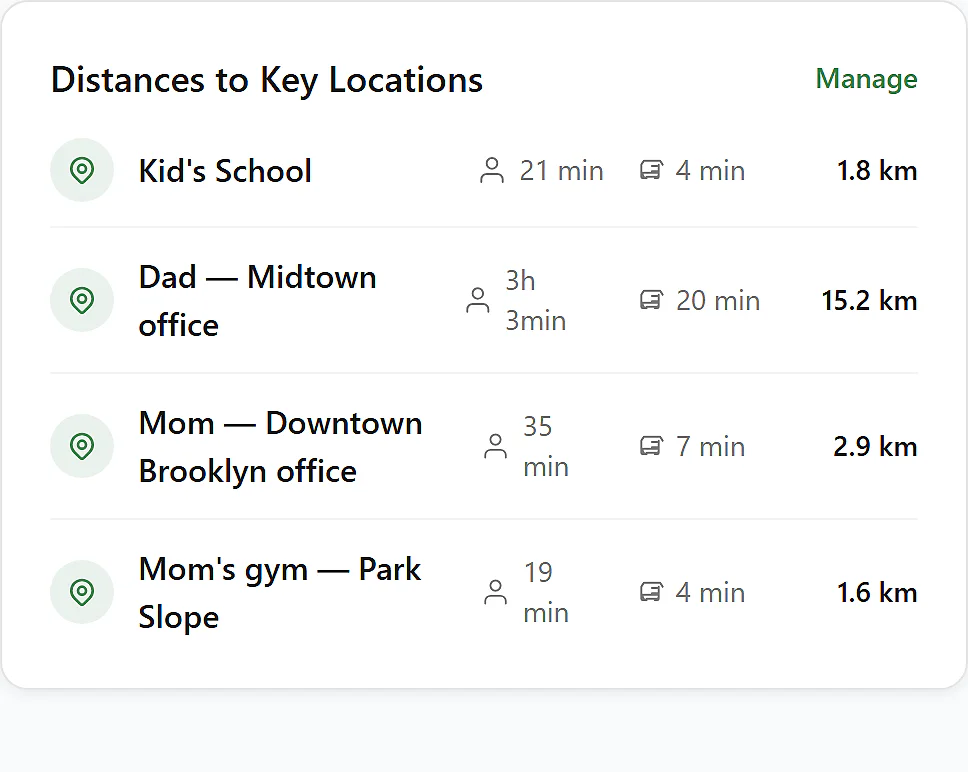
The Martins — two kids, a dog — are relocating to New York to buy a home. They open a Home mission, share it, and between them add homes from four portals, pin the kids' school and both offices, and weight schools and green space higher.
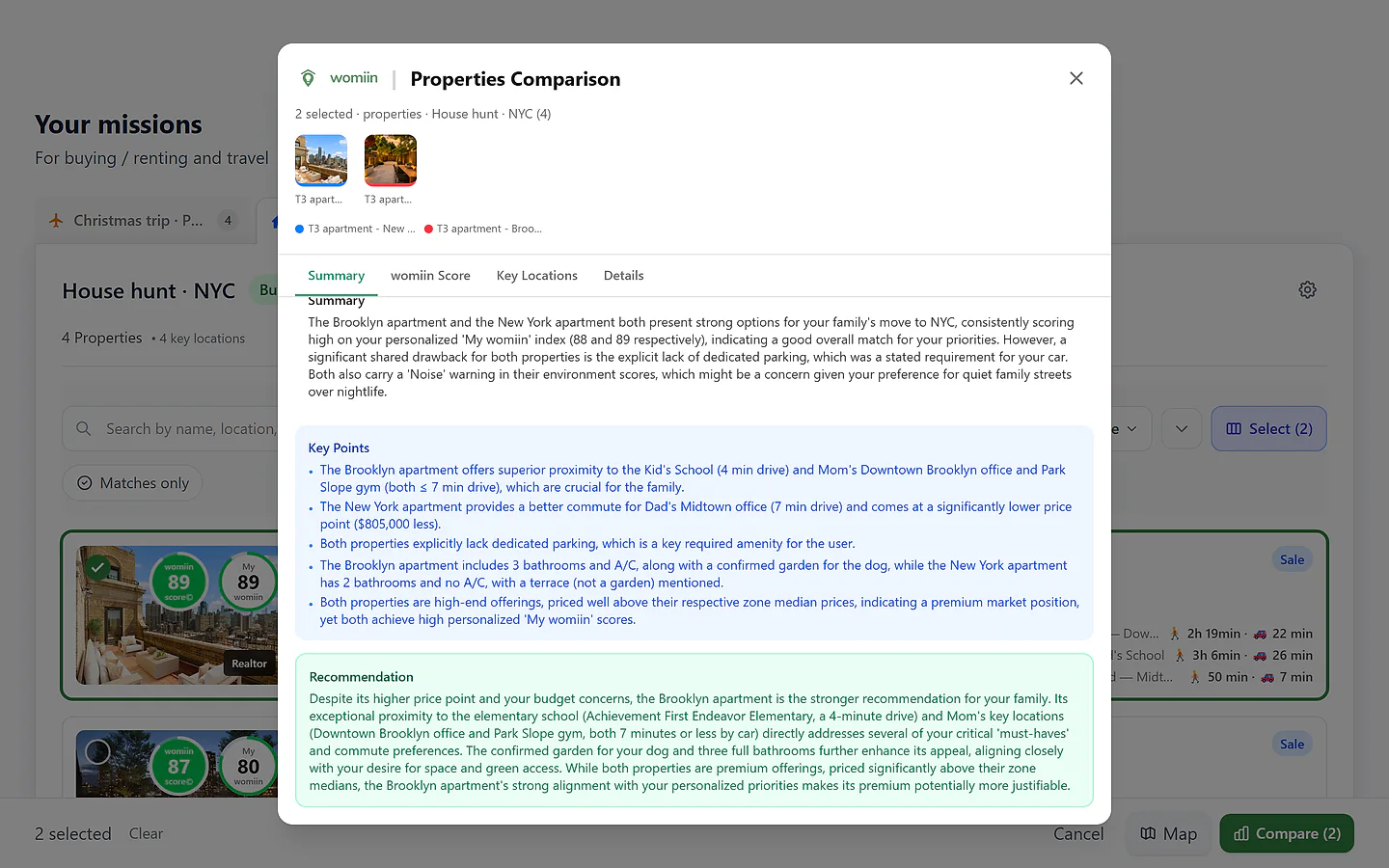
Result: womiin scores every home and re-ranks the shortlist the family's way; when the top two are too close to call, the side-by-side comparison weighs it — and a visit Field Guide preps them for each viewing.
A Christmas in Paris
Sofia & Léo are planning a Christmas week in Paris. They open a Travel mission, share it, and between them add the hotels and apartments they'd been trading links about — with the Louvre, Notre-Dame and the Christmas markets pinned.
Result: womiin scores each stay for a short trip, re-ranks them when Léo adds the kitchen he'd forgotten, and turns the winner into a day-by-day itinerary built around their week.
Managing clients
Rachel, an agent on Pro, runs a separate mission for each client — each with its own weights, context and key locations — and shares a view-only link with every one of them.
Result: Her clients follow along live without needing an account, while she compares and exports — and no client's context ever bleeds into another's.
See it in action
Plans & limits
| Feature | Free | Plus | Pro |
|---|---|---|---|
| Active missions | 1 | 10 · Better than Free | 30 · Better than Plus |
| Active properties | 30 | 300 · Better than Free | 3,000 · Better than Plus |
| Archived properties | 30 | 300 · Better than Free | 10,000 · Better than Plus |
| Key locations (per mission) | 1 | 10 · Better than Free | 10 |
| Collaboration | No | Yes · Better than Free | Yes |
| Thematic weights | Default | Custom · Better than Free | Custom |
| Indicator weights | Default | Default | Custom · Better than Plus |
AI extras — comparison syntheses, Field Guides, itineraries and negotiation strategies — run on rolling 30-day allowances that grow with your plan.
Works with
Property capture
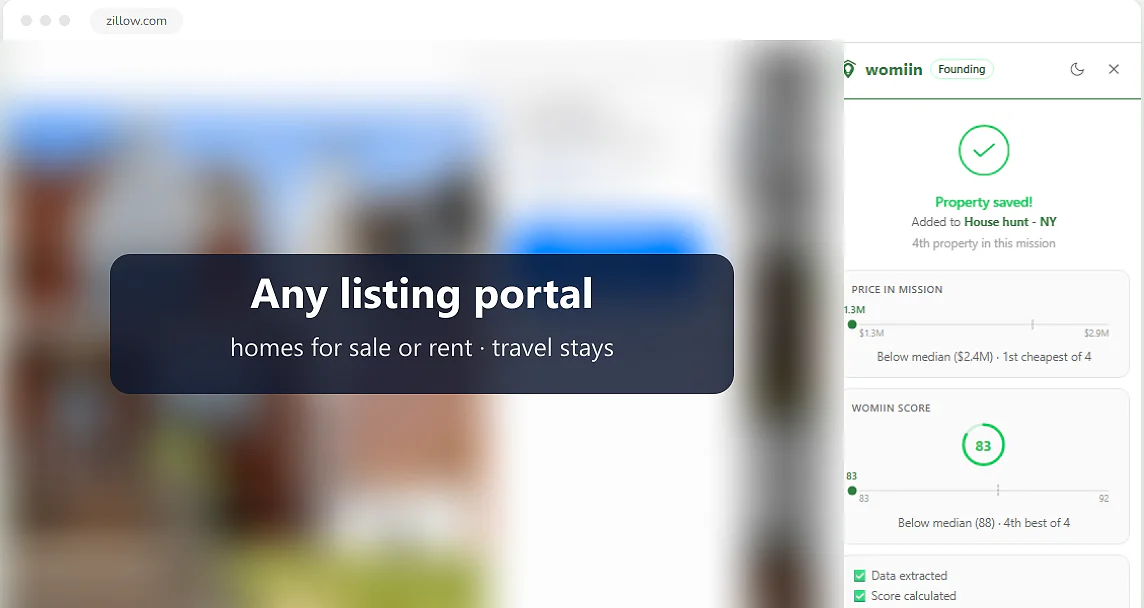
Save listings from any portal in one click.
Sharing & collaboration
Invite people into a mission, or share a view-only link.
Mission Insights
Aggregate analytics across a whole mission (Pro).
Community proposals
Matching properties & stays other members found, surfaced to your mission.
Questions
Can I switch a mission between Home and Travel?
No — the type is fixed at creation, because the score, the weights and the tools differ between them. To switch, create a new mission of the other type and re-add the places.
What happens to my data if I downgrade?
Nothing is deleted — you keep all your missions and properties. If you're over your new plan's limits, you can't add more until you delete some or upgrade again; archiving a mission doesn't free a slot, because an archived mission still counts.
Can the same property live in two missions?
Yes. It's common to weigh the same place for buying and for a short stay — each mission scores it for its own purpose.
Do archived missions count against my limit?
Yes — an archived mission still counts toward your mission limit (1 · 10 · 30); only deleting one frees a slot. Archiving otherwise works at the property level: it moves properties from your active set into an archived set with its own per-plan cap (Free 30 · Plus 300 · Pro 10,000 — the "Archived properties" row above), and archiving a whole mission bulk-archives its properties into that archived cap.
Does a collaborator need a paid plan?
No — anyone can join a mission and collaborate with a free account. (Sending invites is a Plus or Pro feature, and generating AI extras like Field Guides or itineraries uses the plan of whoever runs them.)
Is there a mobile app?
Native iOS and Android apps are on the way. For now, the app works right in your phone's browser — and a desktop browser extension gives you one-click capture as you browse.
Ask me anything about Missions
An assistant that answers questions about this feature, in your words.
Ask in any language — we'll reply in yours.
Start your first mission
It's free to begin — one mission, the full womiin Score, no card required.